Prepare every painting before the first brushstroke
The digital underdrawing studio for painters. Study your source as contour lines, value masses and colour maps — then transfer it at true scale. No projector required: your phone becomes a camera lucida, and the labelled grid needs nothing but a pencil.
Free while in beta · runs in your browser · nothing to install · see the painting before you paint it
Your images never leave your device. No uploads, no account, no tracking — every study is computed locally in your browser.
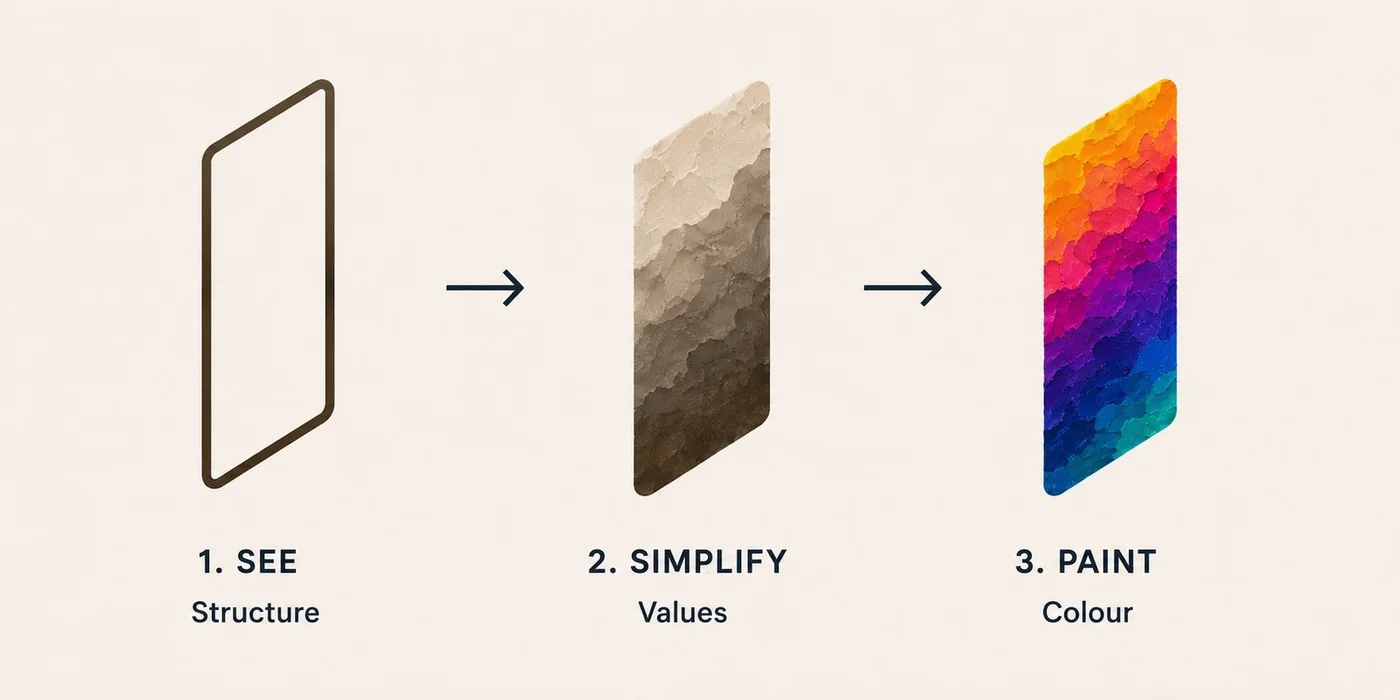
See. Simplify. Paint.
Structure first, then values, then colour — the way a painting is actually built.
Three ways onto the canvas
Every transfer method painters have used for five centuries — only one of them needs equipment.
Camera lucida — just your phone
Mount your phone or tablet over the paper: the live camera shows through your image, and you draw on the real page while watching the screen. Mirror correction, detail zoom, and instant re-alignment built in. This is the modern answer to “I don’t have a projector.”
Grid method — just a pencil
The technique the old masters scaled murals with. A labelled grid (A1, B2…) with centimetre rulers tells you exactly how big to draw each square on your canvas — square by square, no equipment at all. On a tablet, cell light table mode shows each cell at true physical size — trace it through thin paper, tick it done, move to the next.
Projector — if you have one
The fastest route for large canvases. Corner-pin calibration warps the image to land exactly on your canvas — even from a cheap projector sitting off to one side. Calibrate once. Fit perfectly.
Fifteen ways to see your source
Every view is a live study of your image — grouped the way a painting comes together.
No projector? Mount your device over the paper and trace on the real page while watching the screen — with mirror correction, a detail zoom that keeps camera and image aligned, and instant re-alignment if knocked.
Grids & true-scale rulers
Squares with A1 cell labels, thirds, golden sections, dynamic symmetry — plus centimetre rulers calibrated to your actual canvas, so you always know how big a grid cell really is.
Own a projector? Corner-perfect fit
Drag four corners and the image warps to land exactly on your canvas — size, position and angle corrected in one step, calibration remembered between sessions. Calibrate once. Fit perfectly.
Colour inspector
Hover anywhere to read the local colour as a pigment mix — “Yellow Ochre + Titanium White” — with hex values, extracted palettes, harmonies and limited-palette studies.
Built for the easel
A distraction-free projection mode with a giant flip button to cycle your chosen views, hold-to-blink to check your marks, position lock, wake lock and a painting timer that reminds you to stand back and squint. Blink to compare. Paint with accuracy.
Critique your progress
Photograph the painting in progress and overlay it on the source — difference mode lights up exactly where you’ve drifted, before it costs you an afternoon. Compare. Adjust. Refine.
Three steps to the canvas
Made by a painter, shaped like a painter’s workflow: Reference → Drawing → Values → Colour → Grid → Project.
Add your source
The photo or artwork you’ll paint from. Crop it to your canvas proportions — enter 76 × 61 and it maps edge-to-edge.
Study it
Flip between contours, value blocks and colour maps. Isolate one value at a time and paint darkest-first.
Transfer it
Trace it through your phone’s camera, scale it up square-by-square with the labelled grid — or, if you have a projector, corner-fit it to the canvas and lock it.
Questions painters ask
Do I need a projector?
No — most painters don’t have one, and Sinopia is built for that. The camera lucida mode turns any phone, tablet or laptop into a tracing tool, and the labelled grid with cm rulers supports the classic grid method with nothing but a pencil. If you do have a projector, corner-pin calibration makes even a cheap, badly-angled one land square on the canvas.
Where do my images go?
Nowhere. Sinopia is a static page with no server behind it — all image processing happens in your browser’s memory and ends when you close the tab. There is no account, no upload, and no analytics on your artwork.
What does it cost?
Nothing at the moment. Sinopia is free while it’s in beta and finding its feet. When it settles it will be a one-time purchase — buy it once, own it. No subscription, ever. Anyone using it during the beta will be looked after.
Does it work on my device?
Any modern browser — iPhone, iPad, Android, Mac or PC. On a phone, use Share → Add to Home Screen and it behaves like a native app, offline-tolerant and full-screen.
Your next painting starts under the surface
Open it in your browser. Load a source. Be tracing in under a minute.